How can I access my historical account activities?
1)
Log in to your EX.IO account, then hover over the “History” tab at the top right of the page and click on “Transaction history”.

2)
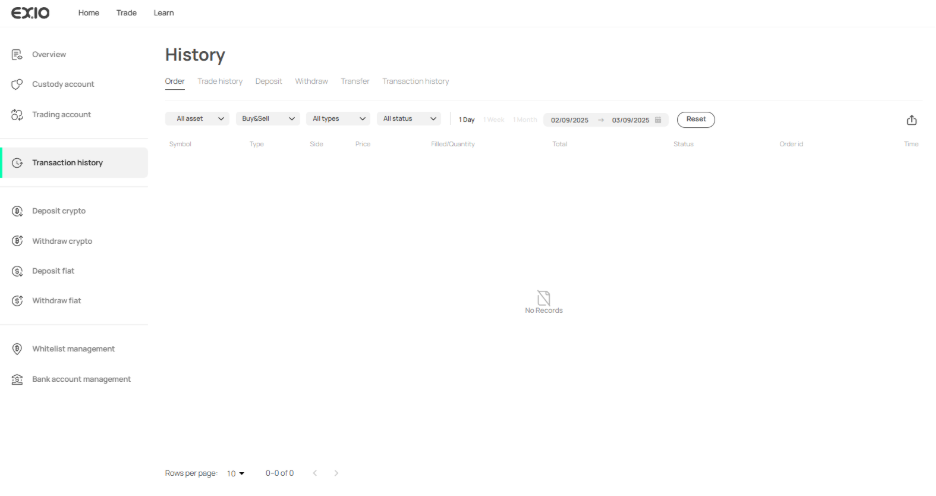
This action will direct you to the “History” page, where all historical information regarding your account activities is stored.
3)
On this page, you can review the following:
Order: Monitor all buy and sell orders, including those that are partially filled, filled, cancelled, or expired.
Trade history: Examine executed orders, whether they are filled or partially filled.
Deposit: Access all information related to deposits, both in crypto and fiat.
Withdraw: Review all withdrawal-related activities for both crypto and fiat withdrawals.
Transfers: View internal account transfers, such as those between a custody account and a trading account.
Transaction history: Check all fees associated with your account, like trade fees and withdrawal fees.

4)
Customize your view by filtering according to your specific needs and selecting a date range (1 day, 1 week, or 1 month) or a particular date for reviewing your account history.

5)
You can export records in CSV format according to the history filters you’ve chosen, found on the right side of the page.
